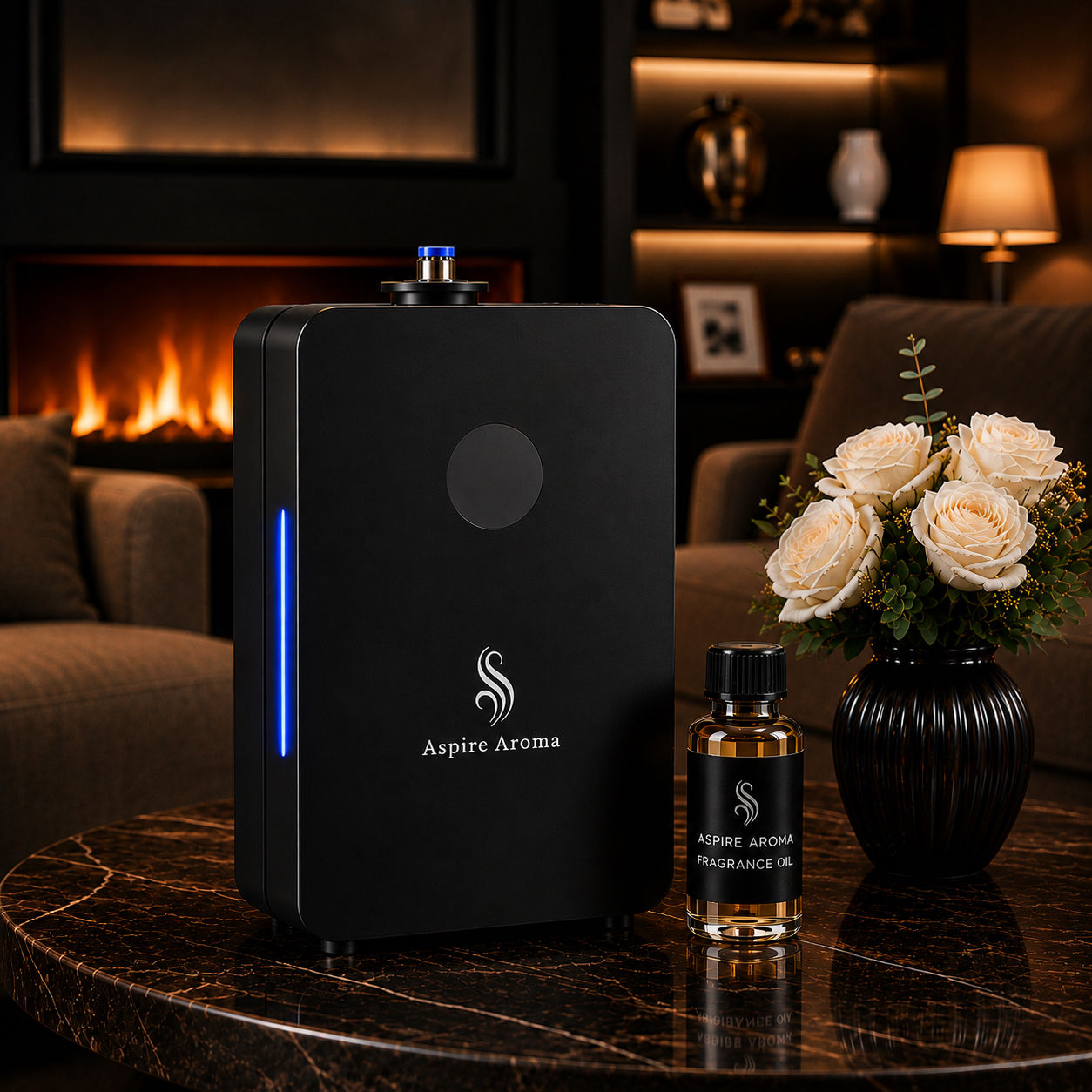

Aspire 2000
Create a consistent, luxurious fragrance experience throughout your space with the Aspire 2000 Waterless Diffuser.
Designed for larger residential and commercial spaces, the Aspire 2000 uses cool-air nano diffusion technology to transform fragrance oil into an ultra-fine, dry mist that distributes scent evenly without water or heat.
Use the Aspire 2000 as a standalone fragrance system or connect it directly to your HVAC system for whole-space scenting. With coverage of approximately 2,000 sq. ft., it is ideal for homes, offices, salons, boutiques, studios, and other business spaces.
Bluetooth control and customizable settings give you greater control over your fragrance intensity and operating schedule. Plus, your Aspire 2000 includes a 100 mL Fragrance Oil of your choice, so you can start scenting your space right away.
DETAILS
• Coverage: 2,000 sq. ft. • Bottle Capacity: 200 mL • Includes 1 (One) 100 mL Premium Fragrance Oil of your choice • Waterless fragrance diffusion • Cool-air nano diffusion technology • HVAC compatible • Can be used as a standalone diffuser • Bluetooth control • Customizable fragrance intensity • Programmable operating schedule • Quiet operation • Metal construction • Color: Black • Easy DIY installation • Suitable for residential and commercial spaces
WHAT’S IN THE BOX
• 1 Aspire 2000 Waterless Diffuser • 1 × 100 mL Premium Fragrance Oil — scent of your choice • Power Adapter • HVAC Connection Tube • HVAC Installation Accessories • User Instructions
HOW TO USE
Step 1: Add the Fragrance Oil
Open the Aspire 2000 and remove the fragrance bottle. Add your Aspire Aroma fragrance oil, then securely reinstall the bottle inside the diffuser.
Step 2: Choose Your Setup
The Aspire 2000 can be used as a standalone diffuser or connected to your HVAC system for broader fragrance distribution throughout your space.
Step 3: Connect the Power
Connect the power adapter to the diffuser and plug it into a compatible electrical outlet.
Step 4: Turn On the Diffuser
Power on the Aspire 2000. The control panel will illuminate, allowing you to access and adjust the diffuser settings.
Step 5: Set Your Schedule
Program the days and operating times you would like the diffuser to run. Once your schedule is saved, the diffuser can automatically operate during your selected periods.
Step 6: Adjust the Scent Intensity
Customize the fragrance concentration by adjusting the diffuser’s work and pause intervals. Start with a lower setting and gradually increase it until the fragrance reaches your preferred level.
Step 7: Bluetooth Control
Connect your phone to the Aspire 2000 through the compatible app using Bluetooth. From the app, you can manage your operating schedule and fragrance intensity.
Step 8: Enjoy Your Fragrance
Once your settings are programmed, the Aspire 2000 will automatically diffuse fragrance according to your selected schedule. No water or heat is required.
APP CONTROL & SETUP
Download the Aroma Messager App
Download the Aroma Messager app from the Apple App Store or Google Play Store. Install the app and make sure Bluetooth is enabled on your phone.
Connect Your Aspire 2000
Step 1: Power On the Diffuser
Plug in and turn on your Aspire 2000. Keep your phone near the diffuser during setup.
Step 2: Open Aroma Messager
Launch the Aroma Messager app on your phone. Allow Bluetooth permissions if prompted.
Step 3: Add Your Diffuser
From the main device screen, tap the “+” in the app to add a new diffuser.
Step 4: Search for the Aspire 2000
Keep the app open and remain close to the diffuser while Aroma Messager searches for nearby devices.
Step 5: Connect
When your diffuser appears on the device list, tap it to connect. Once successfully connected, select the device to access its controls.
Adjust Fragrance Intensity
• Inside the Aspire 2000 control screen, adjust the Work Time and Pause Time to control how much fragrance is released.
• Work Time determines how long the diffuser actively releases fragrance.
• Pause Time determines how long the diffuser rests between fragrance cycles.
• For a lighter scent, use a shorter work time and longer pause. For a stronger scent, increase the work time or shorten the pause.
Set a Schedule
• Open the Schedule/Timer section in Aroma Messager.
• Choose the days of the week you want the Aspire 2000 to operate, then select your desired start time and end time.
• Adjust the work and pause settings for that scheduled period and save your changes.
• You can create multiple schedules if you want different fragrance periods throughout the day.
Edit or Delete a Schedule
• Open the scheduled program you want to change. Adjust the days, times, or fragrance settings and save your changes.
• To remove a program completely, select the schedule and choose the available delete/remove option.
Important: Keep Bluetooth enabled and stay near the Aspire 2000 when making changes through Aroma Messager. If the diffuser does not appear, make sure it is powered on, move closer to the unit, and refresh or reopen the app before trying again.
COOL AIR DIFFUSION TECHNOLOGY
Aspire 2000 uses cool air diffusion to transform fragrance oil into an ultra-fine, dry mist that disperses evenly throughout your space. No water or heat is required, helping preserve the fragrance while providing consistent scent coverage.
DIFFUSER CLEANING & CARE
Cleaning your diffuser regularly helps keep it performing at its best. Clean the diffuser when changing fragrances or approximately every 3 months.
Deep Cleaning Steps
Step 1: Fill ¼ of the diffuser bottle with 95% alcohol.
Step 2: Run the diffuser for 1–2 hours.
Step 3: Discard the alcohol.
Step 4: Rinse the bottle thoroughly with water.
Step 5: Allow the bottle to dry completely. The bottle must be 100% dry before adding fragrance oil.
Step 6: Refill with fragrance oil and resume use.
SHIPPING, RETURNS & WARRANTY
Processing & Shipping
Orders are processed within 1–2 business days.
Standard Ground Shipping is estimated to arrive within 3–7 business days after processing.
Next-Day Shipping is estimated to arrive within 24–48 hours after processing.
Delivery times are estimates and may vary due to carrier delays, holidays, weather, or circumstances outside of our control.
Returns
Returns are accepted within 7 days of delivery. Items must be returned in their original condition and packaging.
6-Month Warranty
Aspire Aroma diffusers include a 6-month warranty from the date of delivery covering manufacturing defects and product malfunctions under normal use.
Damage caused by misuse, improper handling, accidental damage, or failure to follow product care and cleaning instructions is not covered under the warranty.
FRAGRANCE OIL SAFETY & USE
Aspire Aroma fragrance oils are specially formulated for use with scent diffusers.
• For diffuser use only.
• Do not apply directly to skin.
• Do not ingest.
• Avoid contact with eyes.
• Keep out of reach of children and pets.
• Keep away from open flames and excessive heat.
• Use only as directed with your diffuser.
• Store fragrance oils securely in a cool, dry place when not in use.
Reviews
Amazed that one scent machine covers my 2,500 sq ft home. I have stopped the use of plug ins and scented candles. The app works great I like how it can be programmed when you want it to turn on and off and how it gives you complete control of how much you want it to spray and how often. Overall a great system and the scents nice. It’s nice they include a free bottle with purchase.
If you have a HVAC system do yourself a favor and get you this diffuser! We just moved into a new home; it truly smells like we’re walking into a fancy hotel. Every room in our home smells amazing. Currently using the Dubai fragrance oil it smells marvelous! Received the order fairly quickly and the app works great.